
The Old Way
- Casting, lighting, and a full reshoot for one outfit
- Photoshop clone stamps that never match the fabric
- A stylist day just to try two colors
- Waiting on a retoucher to swap a jacket
Swap clothes — color, material, even a full outfit — and keep the same person.
Upload Your Photo *
Upload a person photo and a garment photo. The try-on keeps the face and pose.
Drop your photo here or click to browse
JPG, PNG, WebP up to 10MB
Garment photo *
A flat-lay or product shot of the clothes
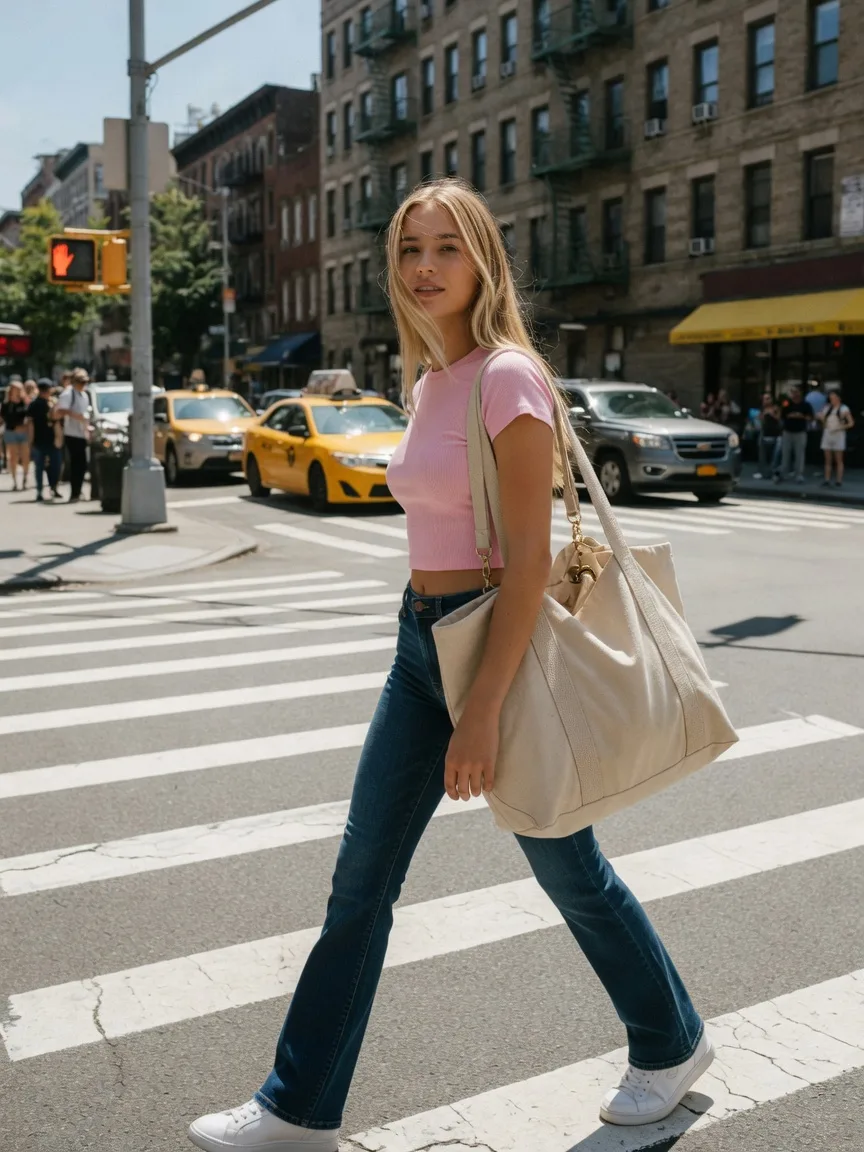
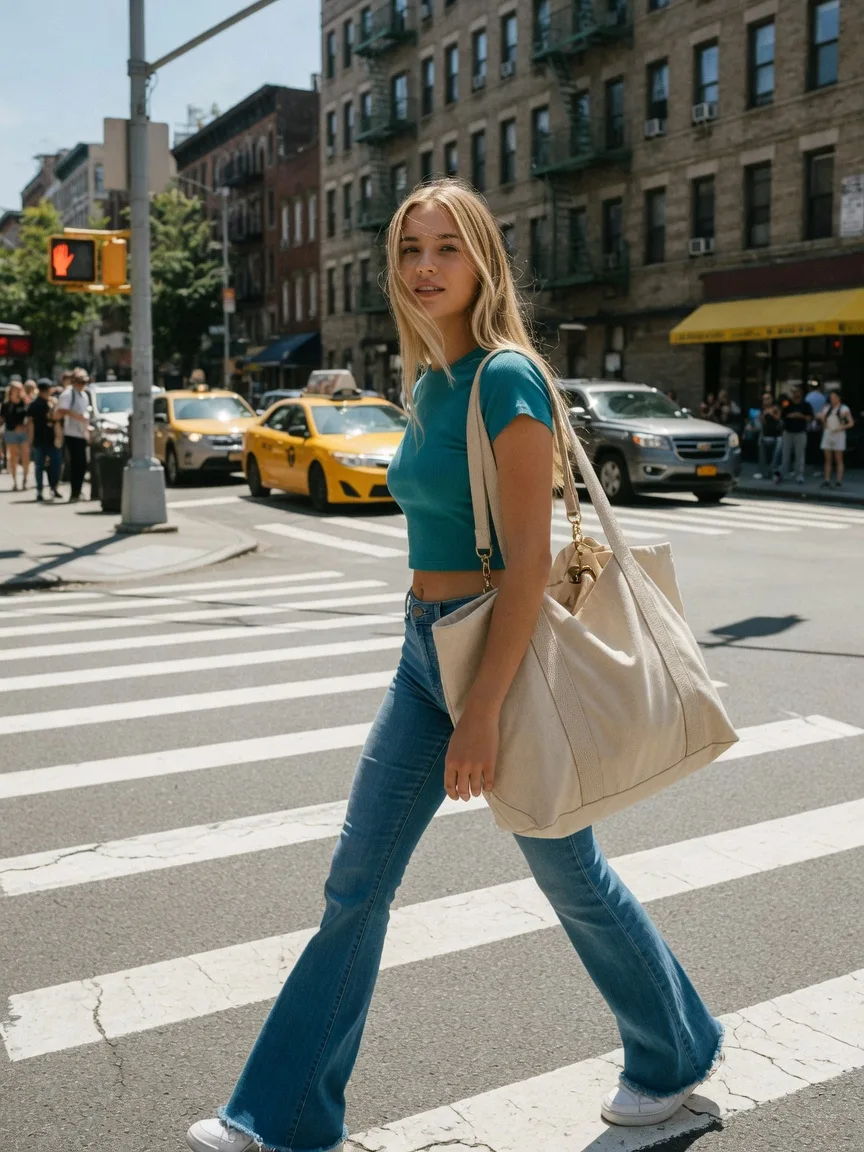 BeforeAfter
We built this clothes changer so you are not booking another shoot for a wardrobe swap.
The AI Clothes Changer restyles a real photo: new fabric, color, or a full look, without a fitting room.
Use the AI Clothes Changer to show the same person in another SKU without booking a second shoot.
Perfect for
Keep the cut. Let the AI Clothes Changer shift dye, knit, or leather so you can pick a finish.
Perfect for
A selfie plus a garment photo. The AI Clothes Changer keeps the face and changes the clothes.
Perfect for
Stylists use the AI Clothes Changer to show two looks on the same body before anyone changes in a stall.
Perfect for
Update an older photo with the AI Clothes Changer when the person is right and the wardrobe is dated.
Perfect for
One model, several outfits. The AI Clothes Changer is faster than a wardrobe truck for a first pass.
Perfect for
Sellers, stylists, and anyone who wants a new outfit on a photo they already have.
You have the garment shot and a model frame. The AI Clothes Changer puts them together.
Try a jacket or a dress on a real body before you commit a shoot day.
Wondering how a listing looks on you. The AI Clothes Changer is a preview, not a salon visit.
An AI Clothes Changer should change the wardrobe and leave the person alone. This page does that with a person photo, a garment photo, and an optional line of text. The face, body, and pose stay. The clothes change. It is a try-on, not a new portrait generator.
The AI Clothes Changer is a virtual try-on for everyday clothes: jackets, knits, shirts, trousers, full looks. You upload the person you want to keep and the garment you want to see. An optional prompt can name the piece — “the green jacket from the garment photo” — when the still has more than one item.
This is not a Background Remover and not a pose tool. If the backdrop is the problem, cut it out first. If the stance is the problem, use the AI Pose Changer. The AI Clothes Changer is for fabric, color, and cut on a body that is already in the frame.
Drop a person photo and a garment photo. Both can be JPG, PNG, or WebP, up to 10MB. Click Change Clothes. The AI Clothes Changer uses a dedicated try-on engine, not a generic text-to-image prompt. Cost is 3 credits. Trial credits let you test one look before you buy more.
Compare the result to the original. The face should still be the same person. The garment should follow the body. If a print drifted or a sleeve melted, try a clearer garment still — a flat lay or a mannequin shot usually beats a crumpled pile.
Use it when you already like the person and the pose and you only need another outfit: a catalog colorway, a social try-on, a client who wants to see navy instead of black. The AI Clothes Changer is also useful on an older portrait when the wardrobe is what dates the frame.
Do not expect a perfect shop-floor fit on every body and every cut. Extreme angles, heavy occlusion, and busy patterned garments are harder. A wedding gown with a long train is a better job for Virtual Try On, which is the same engine pointed at bridal silhouettes.
3 credits a run. No watermark. You own the original you uploaded. The AI Clothes Changer does not need an account to view this page; you sign in to spend credits. There is no desktop install.
We will not claim a 99% fit rate or a 15 million-user stat. The try-on is as good as the two photos you give it. A sharp, front-facing person photo and a garment that is fully visible will beat a dark selfie and a hanger shot in shadow.
Match the camera height if you can. A garment shot from above on a person shot from the hip will fight the model. Prefer a person standing, arms slightly away from the body, so the AI Clothes Changer can see the waist and sleeves.
If you only have one photo of the person wearing something close, you can still run the AI Clothes Changer — the garment photo is the reference. Name the item in the optional prompt when the still is busy. Then download and look at the hands and collar. Those are the first places a weak try-on shows.
Upload a photo, name the outfit, then generate.
Step 1
A standing portrait with visible clothes gives the AI Clothes Changer the most to work with.
Step 2
Color, fabric, or a full look. Then click Change Clothes.
Step 3
Compare it to the original. Run again if you want a second option.
How the AI Clothes Changer swaps outfits, what to write, and how credits work.
An AI Clothes Changer replaces the outfit in a photo while trying to keep the same person, pose, and face. This page is that tool.
You can start in the browser with trial credits. Add a pack when you want more AI Clothes Changer runs.
No. The AI Clothes Changer runs here in the browser.
Usually no. Upload a person photo and a clean garment photo. Add a line only if the garment image shows more than one item.
No. The AI Clothes Changer is a photo plus a short outfit description.
No. The AI Clothes Changer edits the photo you upload. It is an outfit swap, not a new portrait from scratch.
JPG, PNG, or WebP, up to 30MB. A well-lit shot of the clothes helps.
Each AI Clothes Changer run costs 3 credits. Subscription credits go first.
That is the goal of the AI Clothes Changer. A clear, front-facing photo holds identity better than a heavy crop or blur.
Yes, for a mock, a listing, or a draft. You still own the original.
Batch wardrobe swaps and keep every AI Clothes Changer result in one workspace.